 ChemDraw Skill
Let your AI agent draw in ChemDraw
ChemDraw Skill lets an AI coding agent make ChemDraw files. You say which molecule or figure you want; the agent looks the structure up, writes the CDXML, has ChemDraw render it and reads the file back to check it. What you open is an ordinary ChemDraw document, with atoms and bonds you can keep editing. The same Skill also does the arithmetic around a reaction: reagent amounts, yields, characterization text and atom maps.
git clone https://github.com/ZiChenWang114514/chemdraw-skill.git
Works with Claude Code, Codex, Gemini CLI, GitHub Copilot, Cursor, OpenCode and any agent that can run a shell command.
- “Use ChemDraw Skill to draw aspirin as editable CDXML and show me the render.”
- resolve_nameaspirin → CC(=O)Oc1ccccc1C(=O)O
- buildaspirin.cdxml, ACS Document 1996
- rendernative ChemDraw PNG, 300 dpi
- readbackC9H8O4 matches the input ✓
From a paper figure to an editable ChemDraw document
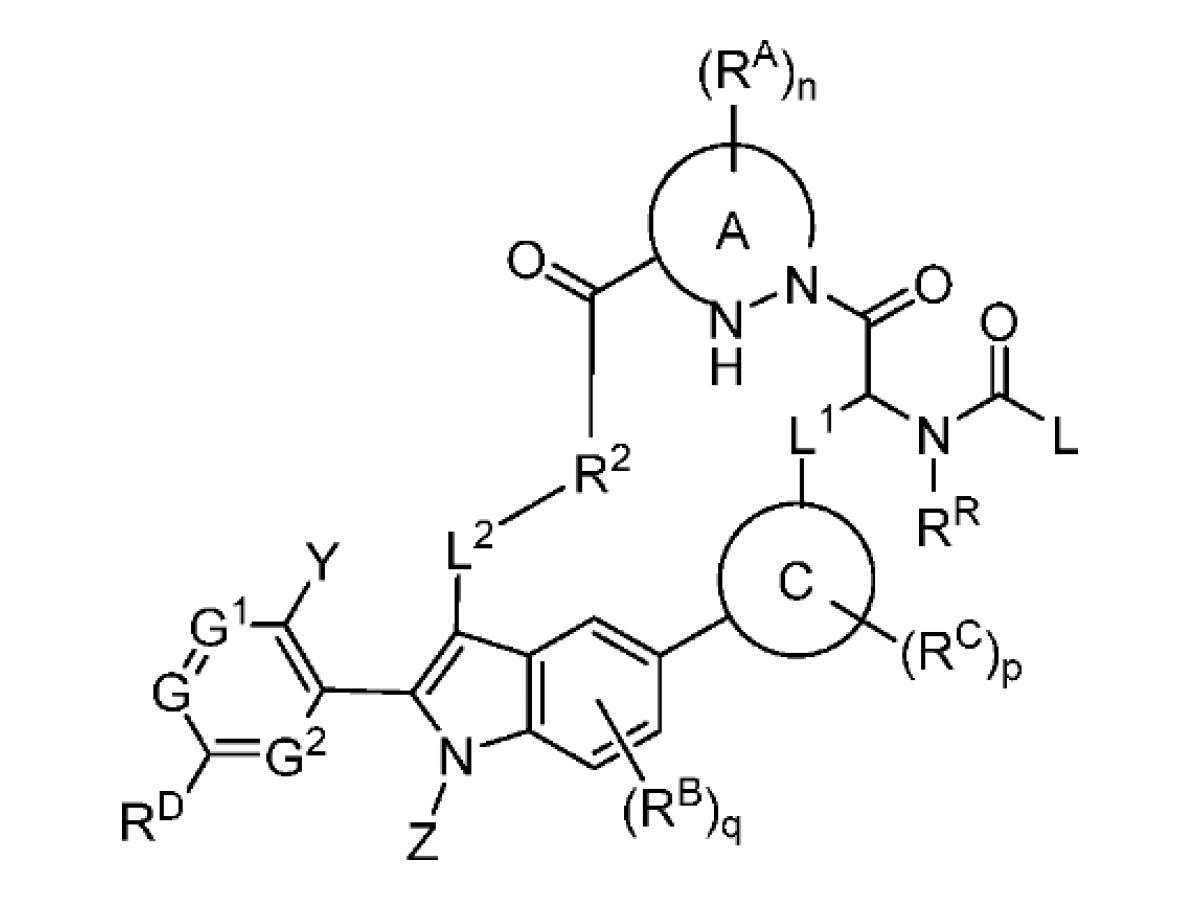
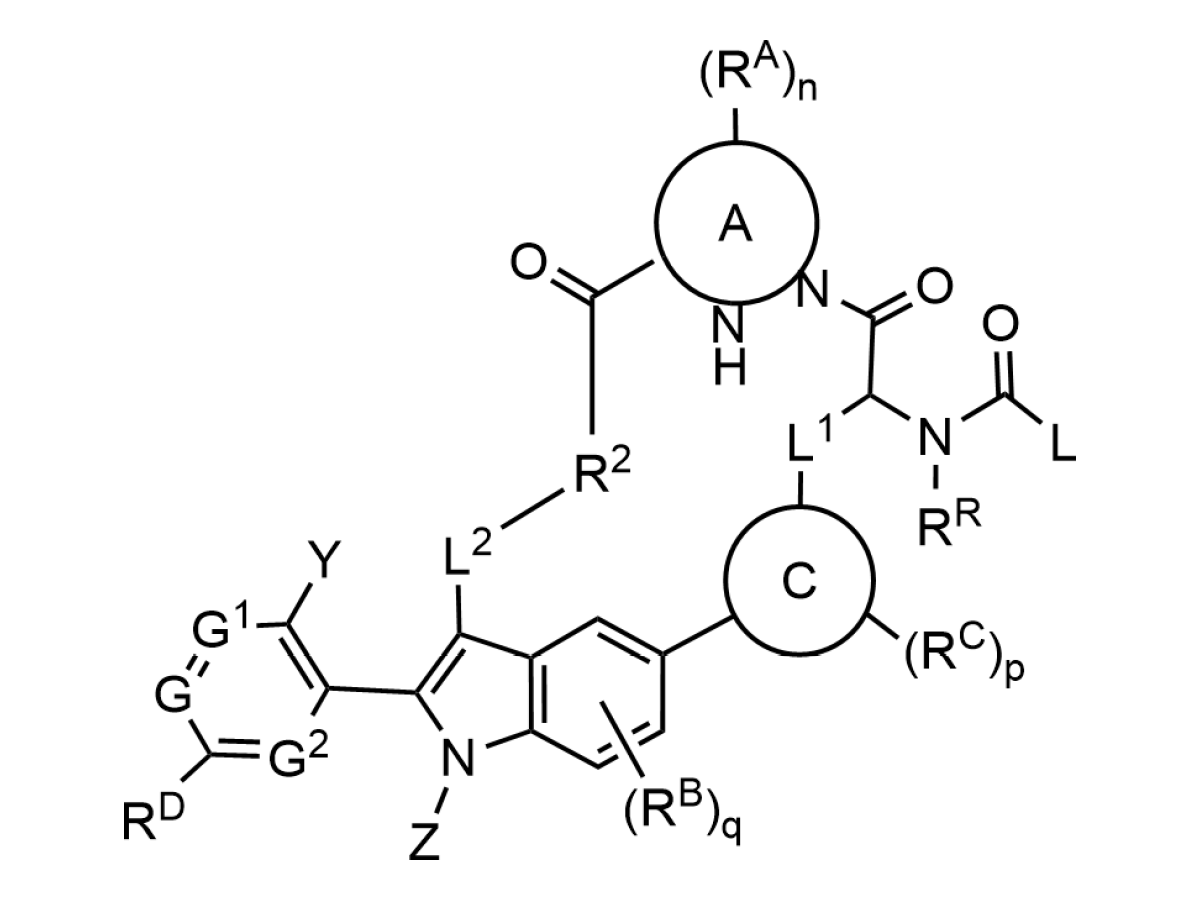
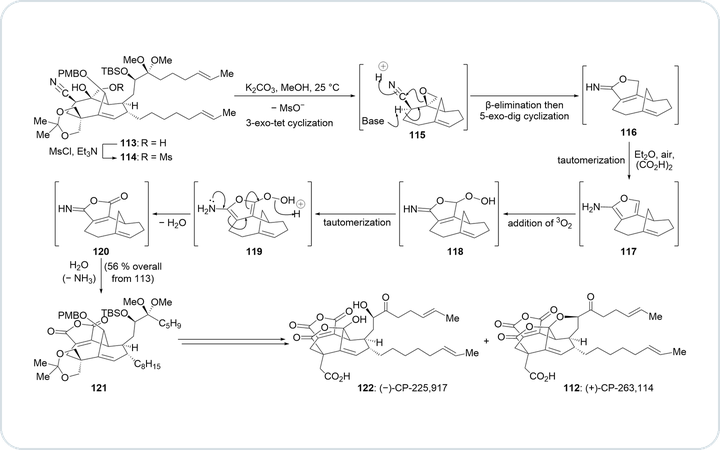
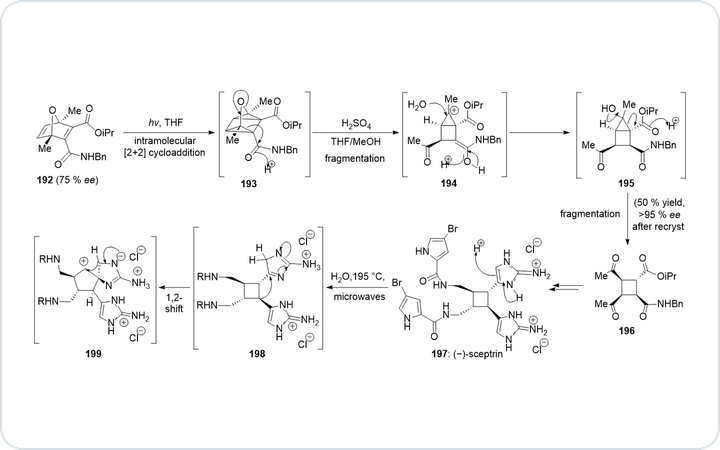
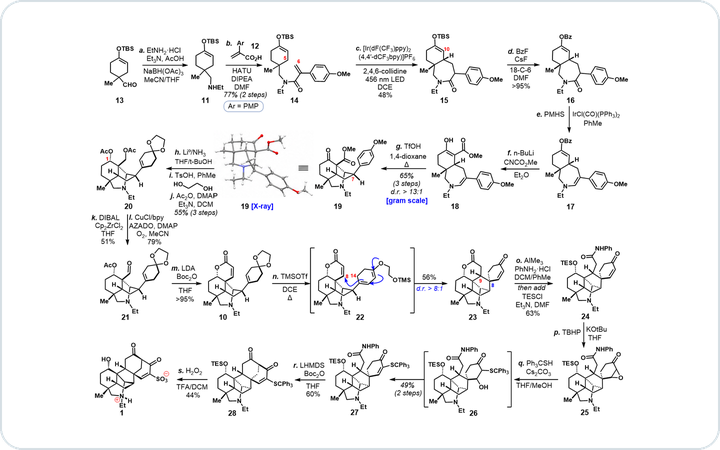
Drag the divider to compare the original image with the agent's ChemDraw rebuild.
The left side is the original image from the paper; the right side is the ChemDraw rebuild. Five structures, conditions, yields and compound numbers are all editable.


A generic structure from a patent figure: R groups, two variable rings, a group that can sit on three ring positions, and repeat counts. A small, low-cost model ran the whole extraction; the structure is also saved as CXSMILES and a V3000 molfile.
Four steps, each one checkable
A figure can look right and still be wrong. So every step has a named input and output, and when something is off you can see which step it came from.
All four run through one entry point, cdx.py. Any agent that can run a shell command can call it; MCP is optional.
“aspirin”
-
resolve_nameOPSIN, PubChemGround the structure
Start from a name, identifier, trusted SMILES or a DECIMER reading, and record where it came from. The model never invents SMILES.
Show the command and its output
$ cdx.py call resolve_name --json '{"query": "aspirin"}'
{"ok": true, "name": "aspirin", "smiles": "CC(=O)Oc1ccccc1C(=O)O", "formula": "C9H8O4",
 "mw": 180.159, "exact_mass": 180.0423, "source": "reagent_db", …}
CC(=O)Oc1ccccc1C(=O)O -
buildACS Document 1996Draw natively
Build CDXML that keeps stereo, charge and isotope information. Atoms, bonds and text stay editable in ChemDraw.
Show the command and its output
$ cat aspirin.json
{"objects": [{"type": "molecule", "smiles": "CC(=O)Oc1ccccc1C(=O)O", "at": [80, 60]}]}
$ cdx.py build aspirin.json aspirin.cdxml
{"cdxml": "…/aspirin.cdxml", "ok": true}
aspirin.cdxml -
renderChemDraw, 300 dpiRender and look
ChemDraw itself renders the file, and the agent opens the image to check labels, arrows, charges and crossings.
Show the command and its output
$ cdx.py render aspirin.cdxml
{"source": "…/aspirin.cdxml", "png": "…/aspirin.png", "ok": true}
aspirin.png -
readbackChemScript, RDKitRead it back
The saved file is read again to confirm the chemistry written is the chemistry intended. When readers disagree, the agent says so.
Show the command and its output
$ cdx.py chemscript-info aspirin.cdxml Type: structure Name: 2-acetoxybenzoic acid Formula: C9H8O4 SMILES: CC(OC1=CC=CC=C1C(O)=O)=O InChI: InChI=1S/C9H8O4/c1-6(10)13-8-5-3-2-4-7(8)9(11)12/h2-5H,1H3,(H,11,12) Atoms: 13 Bonds: 13C9H8O4 matches the input ✓
Reaction amounts, yields and the numbers around them
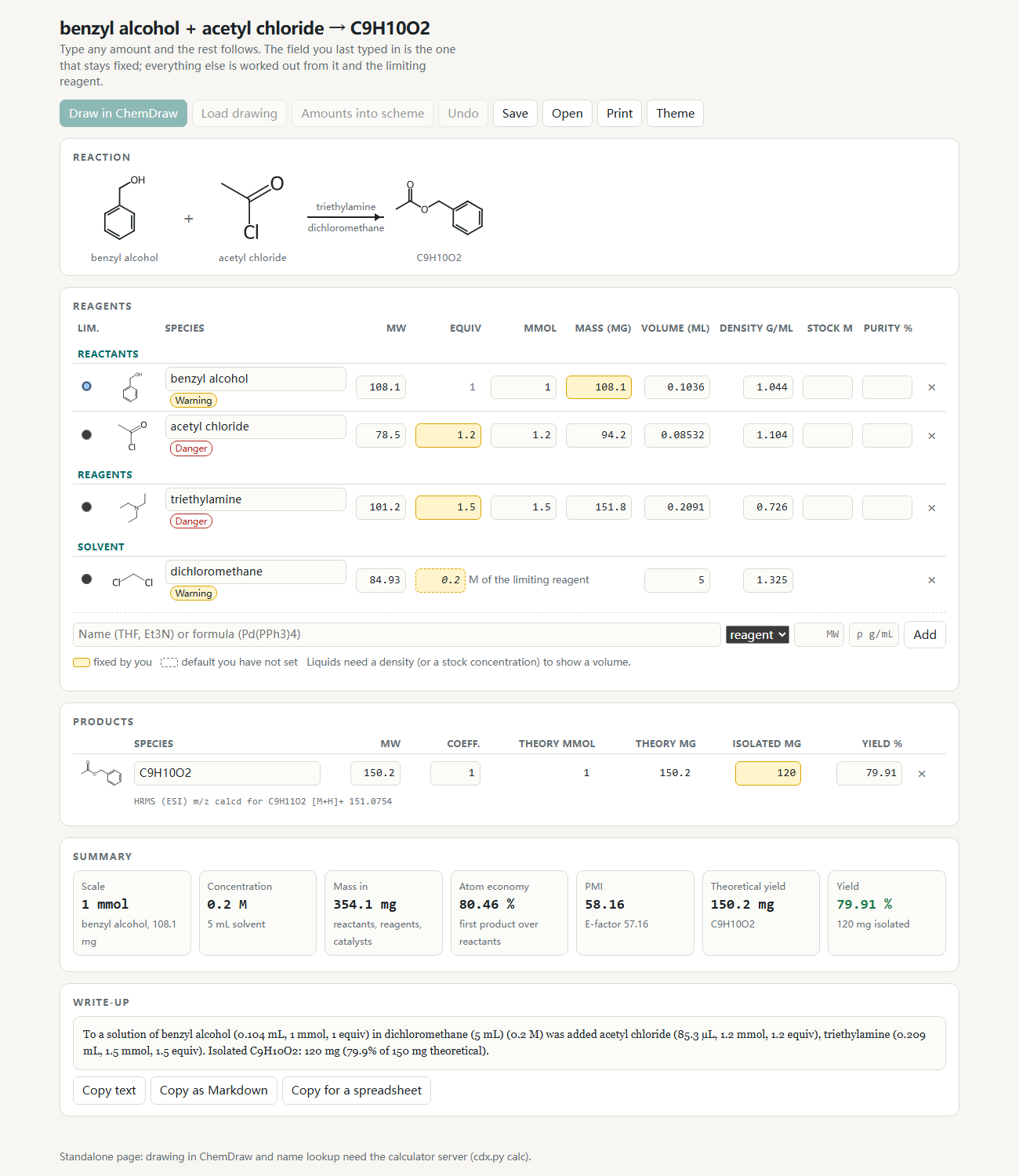
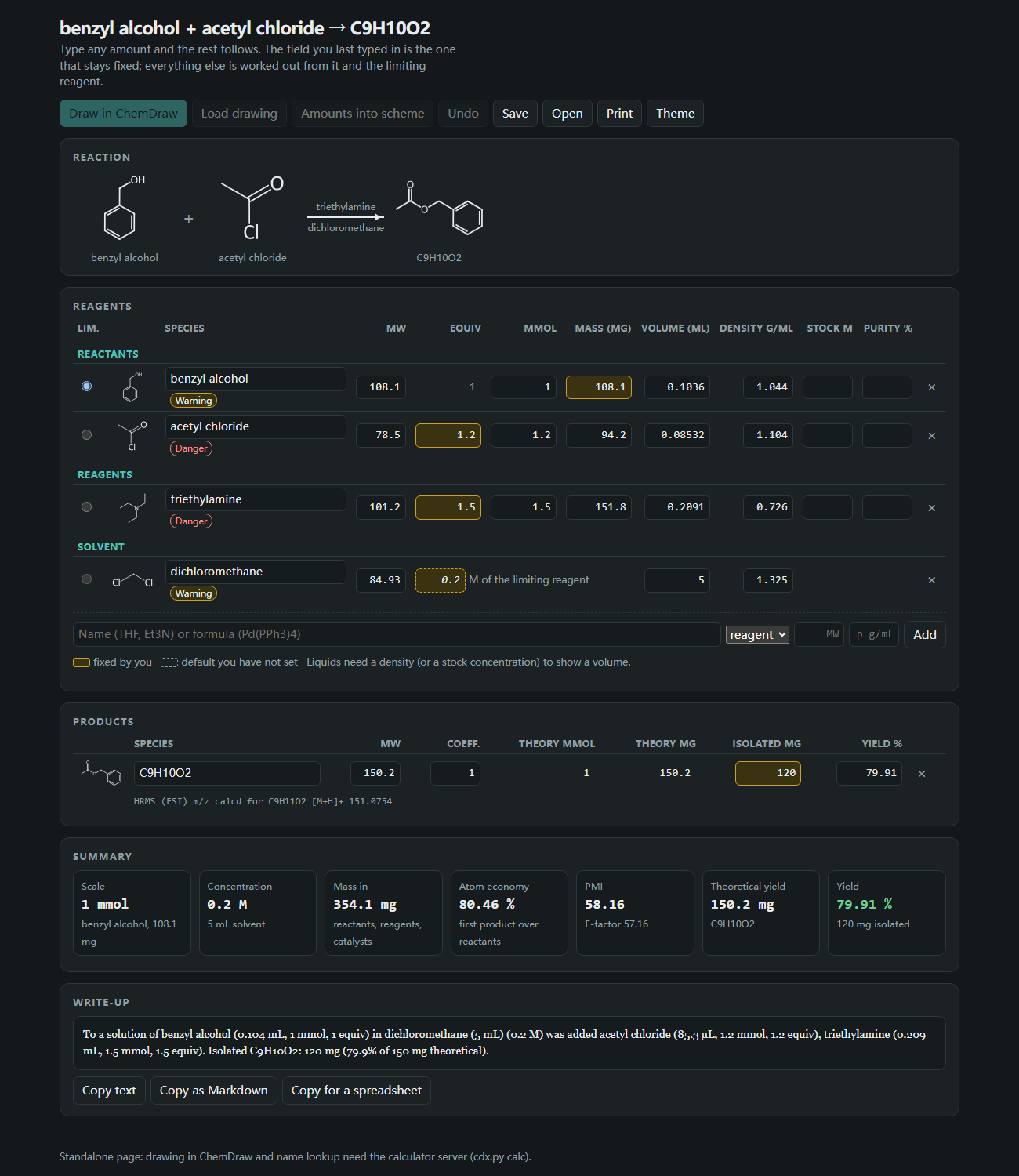
For a reaction you draw or paste, cdx.py calc opens a page where you type any amount and the rest follows. It is the arithmetic done at the bench, with the assumptions in view.
- Concentration, solvent volume, yield, atom economy and process mass intensity (PMI; E-factor is PMI minus 1).
- An amount you did not set is marked as a default instead of being passed off as yours.
- Common reagents carry a Danger or Warning badge from a built-in table. A substance that is missing shows as "not listed". It is a reminder, not a replacement for the SDS.
- The amounts can be written under the structures of a ChemDraw scheme, and the same reaction can go into an SI materials table.
- Also available: characterization paragraphs in ACS order with the NMR peak counts checked, the overall yield and PMI of a multi-step route, and atom mapping with a reaction-type label.
What it handles
Fourteen kinds of job: drawing, and the calculations that go with it.
- Structures and reactions
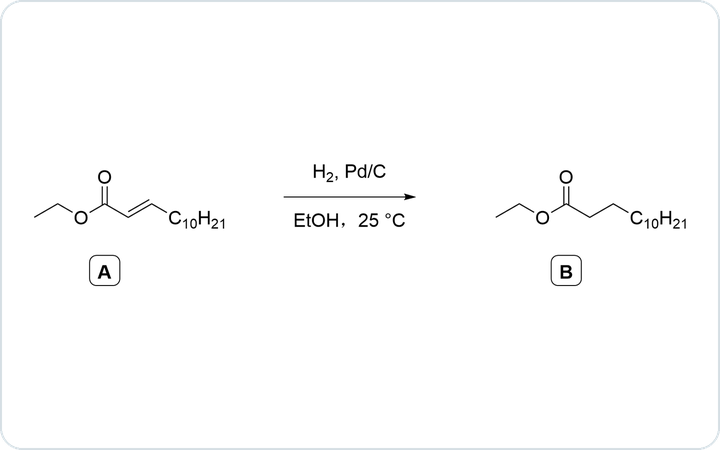
- Resolve names and identifiers; draw, edit, clean, merge, split, convert and render CDXML or CDX.
- Paper figures
- Crop the source, read it with DECIMER, compare side by side, fix the chemistry and assemble the layout.
- Patent Markush
- Extract a generic structure from a patent figure and its claims as CXSMILES, a V3000 molfile and editable CDXML.
- Exams and lectures
- ACS 1996 drawings from JSON with abbreviation nodes, rich text, annotations and boxed labels.
- SAR and substrate scope
- Updatable figures from CSV or Excel that keep your manual layout edits.
- Comparison and properties
- Similarity and exact identity; property sheets with MS adducts and logP; reaction balance with the missing by-product; every structure of a file as SMILES and InChI; names from ChemDraw, parsed back to check them.
- Reaction calculator
- Amounts, concentration, yield, atom economy and PMI that update as you type; safety reminders from a built-in table; amounts written under a ChemDraw scheme; SI materials tables for up to 100 reactions.
- Characterization text
- HRMS lines and whole paragraphs in ACS order: appearance, Rf, mp, rotation, IR, NMR, HRMS. Peak counts are checked against the structure and flagged, never changed.
- Route yield and PMI
- Overall yield and cumulative PMI of a linear or convergent route. A missing number stays empty and is reported.
- Atom mapping
- A built-in method that reports ambiguity, or RXNMapper and LocalMapper after one install command. Bond changes, reaction-centre SMARTS, a reaction type read from the structures, and map numbers written into a copy of the drawing.
- Mechanisms
- Electron-pushing arrows, charges and counterions placed from explicit atom coordinates.
- TLC and apparatus
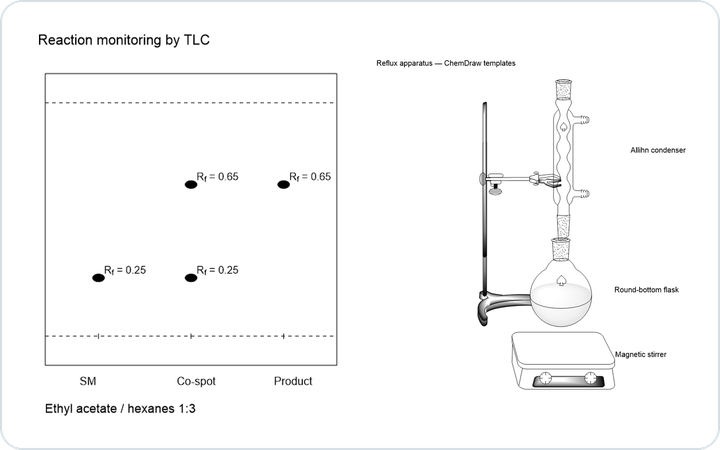
- Native TLC plates, lanes, spots and Rf; apparatus assembled from ChemDraw templates.
- Spectra and lab records
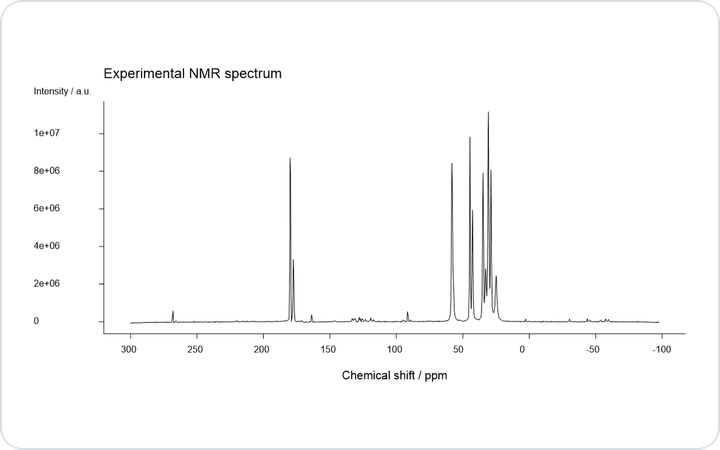
- Peak picking and range integration on 1D NMR, numeric data as editable curves; LCMS, SciFinder RDF and notebook workflows.
- Word and PowerPoint
- Embed live ChemDraw objects in Word and PowerPoint documents, built on Windows or macOS.
Start in three steps
The installer needs Python 3.9+ and finds a 64-bit Python 3.10–3.13 for the runtime on Windows, macOS or Linux. Native rendering and Office embedding need licensed desktop ChemDraw on Windows or macOS.
Pick your agent and system and the commands update to match. For project-level installs and other options, see agent integration.
-
Install
git clone https://github.com/ZiChenWang114514/chemdraw-skill.git cd chemdraw-skill python scripts/install.py --agent claude --runtime --apply -
See what works on this machine
python $HOME/.claude/skills/chemdraw/scripts/cdx.py doctor -
Ask your agent
Use ChemDraw Skill to draw aspirin as editable CDXML, render it natively in ChemDraw and show me the PNG.
Common questions
Does this ChemDraw Skill work with any AI agent?
Yes. The agent needs to read the skill instructions and run shell commands; every tool runs through cdx.py. The installer places the skill where Claude Code, Codex, Gemini CLI, GitHub Copilot, Cursor and OpenCode look for skills. For an agent without skill discovery, point its instruction file at SKILL.md.
Do I need an MCP server?
No. The command line covers every tool with the same worker isolation, native ChemDraw lock and timeouts. Clients that prefer typed tool calls can still register the bundled MCP server.
Can it build SAR and substrate-scope figures from Excel data?
Yes. Bind trusted structures to CSV or XLSX data to produce editable SAR or substrate-scope figures; updating the data keeps unrelated manual layout edits. See the data-driven figures guide.
Can it work out how much of each reagent to weigh?
Yes. cdx.py calc opens a calculator page where you draw or paste the reaction and edit equivalents, mmol, mass or volume; concentration, yield, atom economy and PMI follow. Amounts you did not give are defaults and are marked as assumed. See the chemistry reports guide.
How far can I trust the safety information?
It is a reminder from a built-in table of about fifty common solvents and reagents: GHS pictograms, H-statements, boiling and flash point. A substance that is not in the table is shown as "not listed", never as safe. Check the SDS of the product you actually use.
Can it turn a structure image from a paper into an editable ChemDraw file?
Yes. The reconstruction workflow combines DECIMER recognition, structure checks, layout rebuilding and native visual review, and outputs editable CDXML with a native ChemDraw preview. See the reconstruction guide.
Does it work without ChemDraw installed?
The portable cdxml-toolkit runtime creates and checks CDXML on Windows, macOS and Linux. Native rendering, ChemScript checks and Office embedding need licensed desktop ChemDraw on Windows or macOS.